Videos from [my] MacBook Pro sessions

Here are real-world examples of how the new MBPs perform. The purpose of the videos isn’t so much as to show how much faster (or slower) it may be compared to other systems – but to ease Apple users’ minds should they be considering an upgrade.

First I’d like to apologize for the horrible video quality. I was using an external iSight which had a hard time focusing (it would switch focus every few seconds, so I had to kill the auto-focus) The movie was captured using a small resolution setting so YouTube then blew it up… and ergo the blurriness.

Below, you will find a blow-by-blow recap of what I was doing in each video. Read More

Moleskine hacking

NOTICE

This “hack” has been improved/superseded by a [cosmetically] better one that can be found here. Otherwise, feel free to read on about the “concept” and methodology behind it.

One of the problems a notebook owner will face is the fact that they will not only have to lug notebook all around, all the time; but that they would need their writing materials handy as well.

Moleskine owners often tend to take their writing materials just as seriously as the notebook they write on – just like me. I only want(ed) to use a [mechanical] pencil with the notebook, and that I like to have a “pen-eraser” (for lack of a better term) for mistakes I make (because mechanical pencil built-in erasers, if present at all, suck).

There have been a lot of “hacks” done with Moleskines in the internet that address just that: trying to integrate your writing materials into your notebook to make it easier to transport. We have hacks such as the Moleskine pen-hack, pencil holder hack, quiver hack, duct-tape pen hack, among others – feel free to post a comment if you know of another hack, I’m trying to check all options to see what might be the most effective (and cheap) implementation.

And so in this post, I present my own pen-holder hack, sort of a tutorial (actually more of a commentary) on the reasoning behind the materials used, and construction “decisions.” Read More

Photobooth

A few weeks ago I was playing with Jem’s MacBook during practice. I got to play with Apple’s PhotoBooth. Here are some photos I have of myself using the built in quartz/coreimage effects.


Google Earth


I’ve been knocking myself out with Google Earth recently. I found the activity of looking for some location from a generally “uncharted” map of the Philippines (it only goes as far as showing major cities) very engaging.

Still, there are some misgivings I have with it. First is the free version doesn’t allow you to draw polygons. I could understand why the Plus and Pro versions give you better network access, which is fair enough. But drawing custom shapes/polygons can be done locally in a machine, I wish they just enable it on the free version as well. Having the ability to input custom shapes to draw area perimeters is very useful especially in the Philippine context – because we have lousy Civil Engineers who make me wish there was some kind of SIM City feature in real life to just obliterate a chunk of area and replace it with properly distributed structures and roads. But I digress. Read More

His Dark Materials

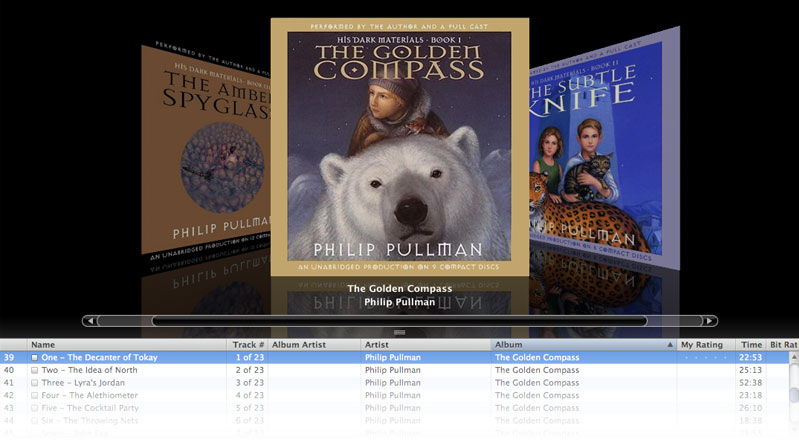
Looks Like Jeline was right, I’m now engrossed in Philip Pullman’s “His Dark Materials” trilogy. I’m currently listening to the second book “The Subtle Knife.”

And in case you’re reading this Jeline, to address your curiousness as to the “caliber” of the audiobook; It’s read by the author himself, along with a full cast 🙂

Again, thanks for the recommendation.