(Do Do Do)

Here’s another composition by GP called (do do do)

As stated in the music section:

[the song was] originally titled “Dominion” but GP changed it just when I was drafting up the info for the song for the music section.

GP claims to have literally dreamt it – then immediately went to the keyboard and not long after, had the full instrument arrangement, the basic melody, and some lyrics.

I came up with the rest of the lyrics and harmonies – and there we have it.

Simply put: GP wrote the chorus, bridge and the first two lines of the first verse. Whatever was left was my doing. It’s also to be mentioned that GP provided the full accompaniment – so I just laid the vocal tracks and thought up the harmonies as I went along.

A nice piece of trivia about this song was when I first heard it, it was just the chorus, and it sounded really funny – and I didn’t give it much thought after that. But one day GP had me listen to the background music in its entirety, it actually had a hook to it which is why I ended up working on it as well.

Read More


Where have all the real men gone?

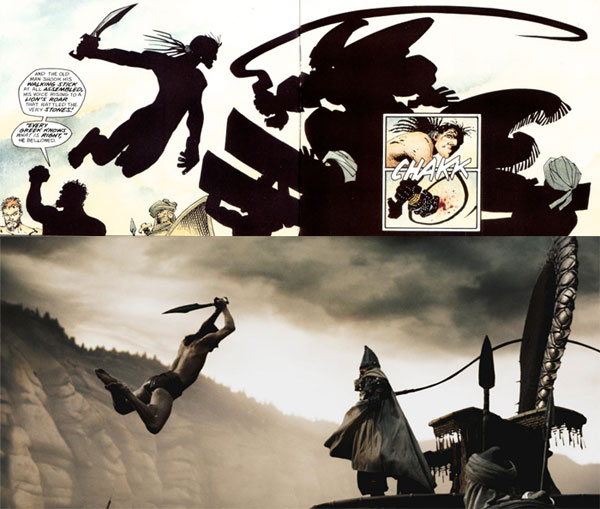
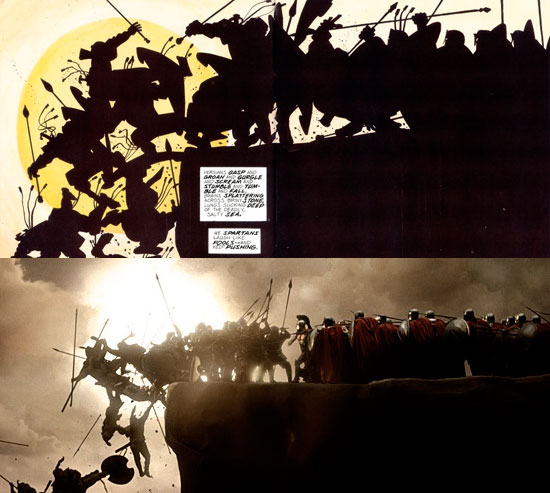
Indeed, “where have all the real men gone?” These are the words I find myself thinking after watching the big screen adaptation of Frank Miller’s 300.

My half-sister texted me two days ago, the day after I urged her to watch it – even if I hadn’t myself (was a very busy week for me)

300 is beautiful!

From what I’ve heard it was indeed “beautiful” in every sense of the word – and after seeing it, I’d have to agree.


Read More

Comment section improved

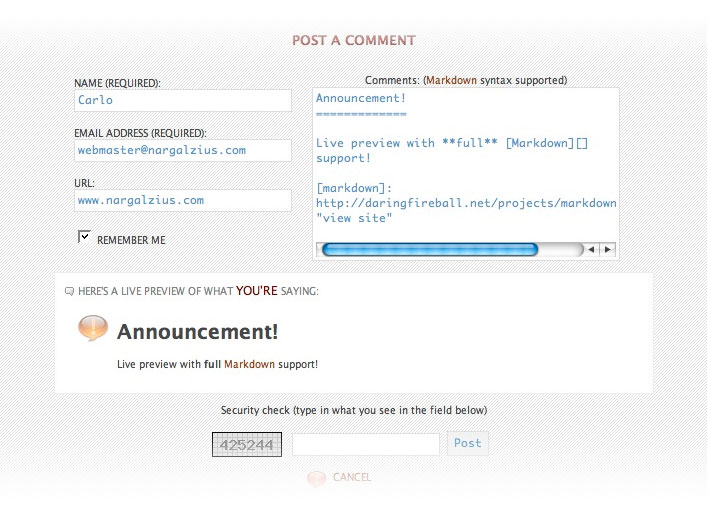
As you all know, my comment form has always had a live preview feature that had limited support for [Markdown]0 syntax – which I discussed in a past entry

Recently (a while ago to be exact), I found a somewhat full implementation of [Markdown]0 via JavaScript here. Naturally I decided to integrate it into the live preview function. So I spent the whole practice session of our choir hacking away at the code to fit my needs. Here’s what came out of it:

Feel free to try commenting yourself 🙂 Read More

RSS feed updates

rss icon


I’ve been tracking my feed activity through Mint, via a “pepper” 1 What they call “plugins” for Mint that can track FeedBurner stats… so I did some .htaccess jiggery-pokery 2 A term I blatantly filched from Mark Gruber of DaringFireball.net to make the URL redirect to the FeedBurner site without you guys having to do anything. So while you clicked/subscirbed to /blog/rss.xml in my domain, you were most probably redirected without noticing it to http://feeds.feedburner.com/nargalzius/nblog

Which brings me to this post; I’ve found a way to track my feed’s activity locally – hence FeedBurner isn’t needed anymore.

While I did delete the FeedBurner account and had it redirect back to my original feed, in case some subscribers still have http://feeds.feedburner.com/nargalzius/nblog as the registered feed address in their respective RSS readers, now would be the perfect time for me to urge everyone to change the feed URL back to http://www.nargalzius.com/blog/rss.xml


And in case any new reader is wondering what RSS is – I’ve discussed [in great length] it here.

Notes

Notes
1 What they call “plugins” for Mint
2 A term I blatantly filched from Mark Gruber of DaringFireball.net

Mail tips

For my future reference. Taken from hawkwings.net

Get a considerable speed increase in Mail.app (and if you’re lucky, a smaller mailbox size as well) by performing certain Terminal commands.

  1. Quit Mail.app
  2. fire up Terminal
  3. Do/type the following:
$ sqlite3 ~/Library/Mail/Envelope\ Index vacuum .exit

If for some reason the single line method won’t work, then do the following instead

$ cd ~/Library/Mail $ sqlite3 Envelope\ Index sqlite> vacuum subjects;

  1. Press Control-D to exit Terminal.

In case you didn’t know, the $ is your shell. Again Mail.app should NOT be running when you do this! 1 Never tried doing it with Mail.app running, so I can’t say what will happen if you do – but I personally don’t want to even try to find out. It’s also good practice to back up your ~/Library/Mail folder just in case. You have been warned

Notes

Notes
1 Never tried doing it with Mail.app running, so I can’t say what will happen if you do – but I personally don’t want to even try to find out.